
The first week after launch is where the quiet mistakes show up. Search engines do not care that the redesign was stressful or the migration took all night. They care whether the right URLs are crawlable, canonical tags point at the right page, redirects go where they should, and old links still land somewhere useful.
If you want the broad operating context for the site, start at the home page, skim the about page for the site’s purpose, browse the blog for more checklists, and use the contact page if a launch problem needs a second set of eyes.
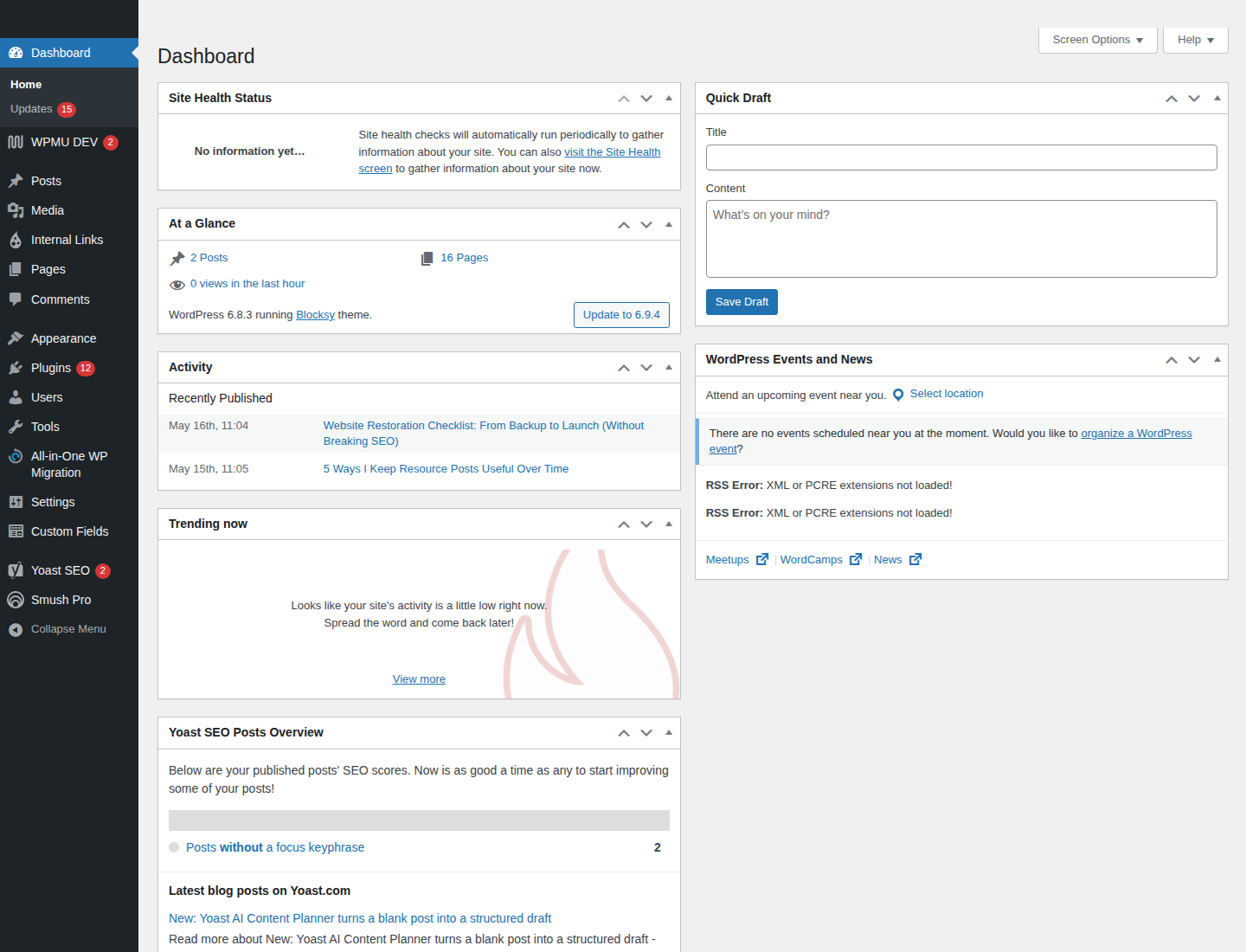
The first week matters because the obvious failures are not the only failures. A page can load and still be wrong: a canonical tag can point at the old URL, the sitemap can still list dead paths, or internal links can keep feeding crawlers the wrong version of a page. The damage is usually boring, which is why people miss it.
For the official baseline, the safest place to start is Google Search Central’s SEO Starter Guide, then cross-check the robots.txt introduction and the sitemaps overview before you assume the site is technically clean.
| Day | Focus | What breaks if you skip it |
|---|---|---|
| Day 1 | Basics | Blocking rules, missing sitemap submission, bad Search Console access |
| Day 2 | Canonicals and duplicates | Duplicate indexable URLs, wrong canonical targets, template drift |
| Day 3 | Redirects and 404s | Lost backlinks, dead internal links, chains, and loops |
| Day 4 | Crawl errors | Unfixed Not found, Soft 404, and Redirect error patterns |
| Day 5 | Internal links | Orphan pages, weak navigation, and bad crawl paths |
| Day 6 | Performance signals | Slower crawling, poor render speed, and avoidable template bloat |
| Day 7 | Validation | False confidence and untracked regressions |
Why the first week matters
Most post-launch SEO problems are not dramatic. They are mechanical. A template change adds a bad canonical. A redirect map misses one folder. The XML sitemap lists URLs that now 404. A staging rule slips into production because someone copied the wrong robots file. None of that is exotic. All of it can cost traffic.
The point of the first week is not to admire the redesign. It is to confirm that search engines can still find, understand, and prefer the correct URLs. That means checking the boring things first: crawl access, canonical behavior, redirect behavior, and internal links.
Day 1: Confirm basics
Do the baseline checks before you argue about rankings. If the site is blocked, mislabeled, or invisible, the rest of the conversation is theater.
- Open the site in a normal browser session and confirm the homepage and a few key templates load without errors.
- Check
robots.txtfor accidental broad blocks on public sections. - Confirm the XML sitemap exists, loads cleanly, and lists only final indexable URLs.
- Verify Search Console property access for the people who will actually monitor the launch.
- Make sure the site is using the correct production property, not a stale staging setup.
When the basics are unclear, the most common mistake is guessing. Do not guess. Inspect the live file, the live URL, and the live property. If the setup looks unfamiliar, re-read the Search Central docs instead of improvising a fix.
Practical example: if the sitemap is still missing the new blog index or key service pages, add the final URLs first, then resubmit the sitemap. Do not wait for Google to discover your intentions through vibes.
Day 2: Canonicals and duplicates
Canonical tags are not decorative metadata. They are a decision. If the template is wrong, the site can quietly tell search engines to trust the wrong URL. When you need the rulebook, use Google Search Central canonicalization and duplicate URL guidance instead of guessing.
Check the common failure patterns:
- Every page canonicalizes to the homepage because the template was copied badly.
- HTTP and HTTPS versions both exist, but only one is meant to be indexed.
- Trailing slash and non-slash variants split signals between two URLs.
- Filtered, parameterized, or paginated pages are treated like primary pages.
- Old template code still outputs canonicals for paths that no longer exist.
Fix the canonical tag so it points to the final indexable version of the page, not the redirected path, not the staging URL, and not some “close enough” variant. If templates changed, audit them page type by page type: homepage, article, listing, contact, and any page with heavy parameter use.
Useful rule: if two URLs show the same content but only one should rank, make the preferred version self-canonical and remove the duplicate route from internal links and sitemaps. Do not leave duplicate paths in circulation and hope the crawler behaves like a mind reader.
Day 3: Redirects and 404 recovery
This is where most launch damage becomes expensive. Old URLs still matter because backlinks still point at them, bookmarks still exist, and internal links often lag behind template changes.
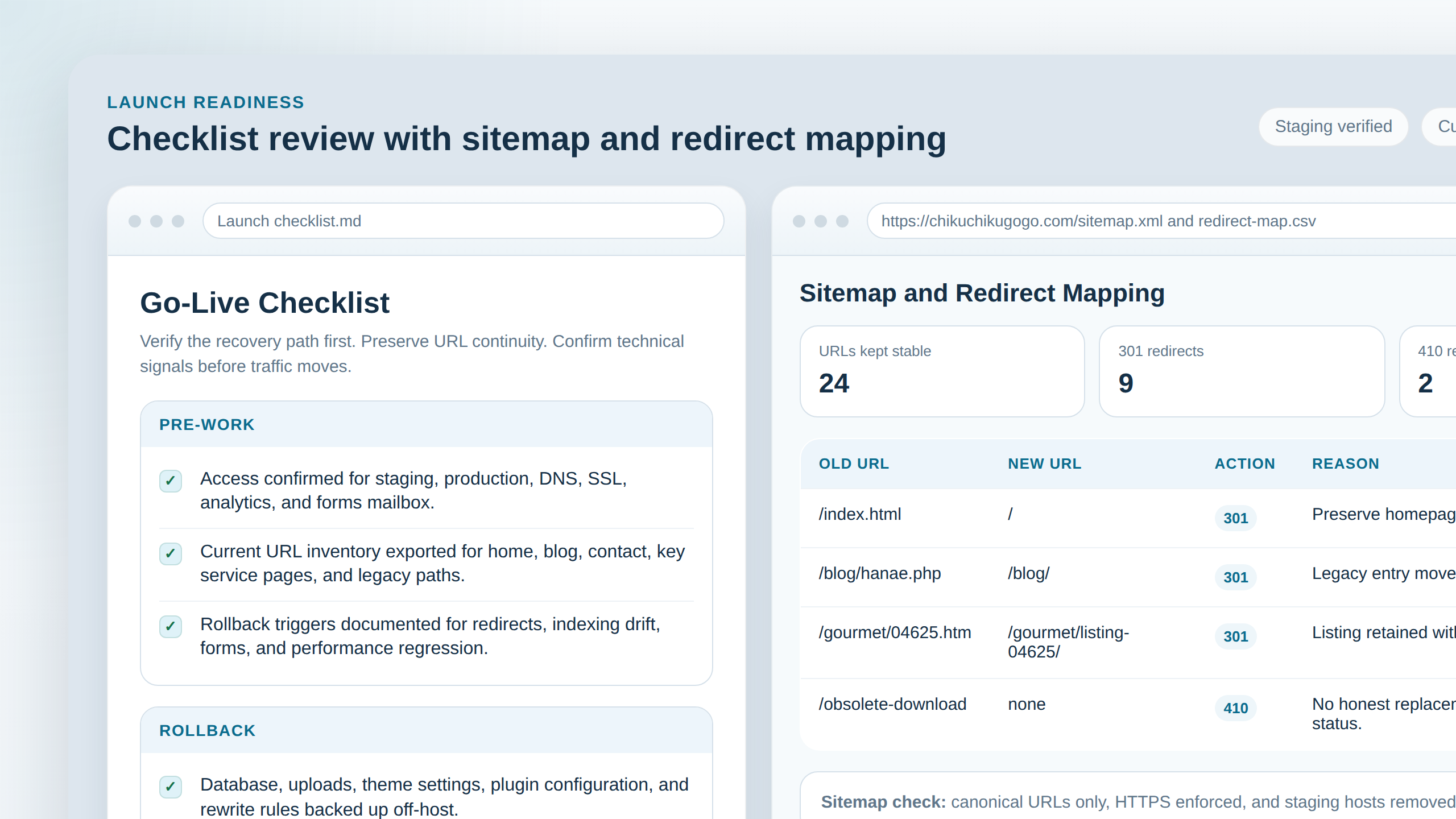
Use 301 redirects for permanent moves. Use 302 only when the move is genuinely temporary. If you do not know which one to use, the problem is probably not temporary.
What to check:
- Old URLs from backlinks and bookmarks resolve directly to the intended final page.
- Redirects do not pass through two or three intermediate hops.
- Trailing slash differences are normalized consistently.
- Internal links point at final URLs, not redirected ones.
- Missing pages return a real 404 when there is no sensible replacement.
Common issue: an old page redirects to a new section page, but the new section page canonicalizes back to something else. That is sloppy. Make the redirect and canonical tell the same story.
Common fix: build a clean mapping sheet with old URL, new URL, response code, and owner. Then update the redirects and internal links together. If the sheet lives in ten different inboxes, use a single shared tracker instead of pretending email is a system.
Day 4: Crawl errors audit
By Day 4, you want signal, not optimism. Open the coverage or indexing reports in Search Console and sort the errors by impact, not by how annoying they look.
Prioritize these first:
- Not found: check whether the URL should exist, should redirect, or should stay gone.
- Soft 404: decide whether the page is too thin to index, should be improved, or should return a real 404.
- Redirect error: fix loops, chains, bad targets, and inconsistent protocol handling.
Do not treat all crawl errors as equally urgent. A dead seasonal URL is not the same problem as a broken navigation target on a money page. Fix the paths that matter first.
Example: if a product or article URL was intentionally retired, return a proper 404 or 410 rather than dumping it onto the homepage. The homepage is not a trash chute. Search engines can tell.
Day 5: Internal linking sanity check
By now the site should be technically reachable. The next question is whether important pages are easy to find from the rest of the site.
- Check the main navigation for broken or outdated links.
- Make sure the homepage links to the most important sections.
- Verify breadcrumbs, related links, and contextual links inside content.
- Look for orphan pages that only exist in the sitemap but are not linked anywhere useful.
- Confirm the blog index surfaces current posts and is linked from the main navigation or footer where appropriate.
Internal links are not just for users. They shape crawl paths. If the key pages are buried under weak navigation or stale article links, search engines will waste time wandering through your less important pages instead of the ones you care about.
Quick test: can a visitor reach the homepage, a core service page, the blog, and the contact page within a few sensible clicks? If not, the site is hiding the important parts from both people and crawlers.
Day 6: Performance signals that affect crawl
Slow pages do not only annoy visitors. They also make crawling less efficient. You do not need a perfect performance score to notice obvious regressions.
Start with the main templates and look for the usual suspects:
- Large images that were uploaded without sensible compression or dimensions.
- Heavy JavaScript added during launch and never removed.
- Render-blocking CSS that delays the visible content.
- Broken caching or CDN rules that make the live site behave like a staging build.
- Lazy-loading that hides important above-the-fold content from first paint.
Google’s own Core Web Vitals guidance is the cleanest reference point here. Use it to check whether the page is merely “fine” or actually slow enough to need work. The difference matters when the site is young and search engines are still learning which URLs deserve attention.
Fix the biggest regressions on the pages that matter most. Do not spend the first week polishing a low-value template while the main pages are still dragging around a dead script bundle.
Day 7: Validate results
On Day 7, stop changing things for a minute and inspect the effect of the changes you already made.
- Spot-check rankings and traffic trends for your main pages.
- Inspect Search Console for lingering indexing or crawl issues.
- Re-test a sample of old URLs to confirm redirects still resolve correctly.
- Verify the sitemap still lists only final URLs.
- Confirm
robots.txtstill allows the important sections and still blocks only what it should block.
If something is still wrong, do not treat the first week as a one-time event. It is a diagnostic window. The goal is to find the failure mode while the evidence is still fresh, not after the traffic pattern has settled into a mess you no longer remember how to reproduce.
Quick handoff template
When the first week is over, hand the work off in a form another person can actually use. Keep it short and ugly enough to stay current.
| Item | Owner | Current state | Next review |
|---|---|---|---|
| Indexing checks | SEO or site owner | Pass / watch / fail | Weekly for 2-6 weeks |
| Redirect map | Developer or content lead | Live / partial / needs cleanup | After each release |
| Sitemap | Content or technical owner | Current / stale / broken | When URLs change |
| Performance notes | Developer | Stable / regressed / unknown | Monthly |
If the team keeps losing this sheet in email, a shared tracker can be useful. A web app generator can spin up a simple internal dashboard for URLs, owners, and deadlines without dragging the cleanup into a larger software build.
The practical order is simple: confirm access, fix canonicals, repair redirects, audit crawl errors, clean up internal links, check performance, and then validate the result. That sequence will not make the week glamorous. It will make it survivable.