
Your page might be “ranking,” but your snippet is still losing clicks.
When you search, you’re really asking: What will this page say? Is it the right page? Will it answer my question? And does the title/description match what I actually find?
Search engines can’t read your intent the way a human does, so your snippet becomes the storefront. Google’s own guidance emphasizes writing helpful, people-first content (including clear titles and descriptions), not clickbait. Meanwhile, the broader SEO community has long noted that “title + meta description” are among the highest-leverage on-page elements for improving search impressions and click-through.
In this guide, you’ll learn a simple way to write page titles and meta descriptions that are clearer, more consistent, and more likely to match the page a visitor expects to see.
What page titles and meta descriptions do
Page title (the clickable headline in search results) is primarily about clarity: what this page is about, for whom, and why it’s relevant. Meta description is about expectation-setting: a short preview of the page’s main benefit and what a visitor will get after clicking.
Important: search engines may sometimes rewrite titles/descriptions. Your job is to make the original text accurate and specific enough that it still reflects the page, even if rewriting happens.
A simple formula for clear page titles
Use this formula:
- Primary topic (the thing the page is about)
- Qualifier (who/what/where/how it’s different)
- Brand (optional) for small sites, only if it adds trust
For a small site, you usually don’t need long titles. You need distinct titles that tell people what changes from one page to the next.
Good vs weak: title wording examples
| Goal | Weak title | Stronger title |
|---|---|---|
| Service page | Home | Home Cleaning Services in [City] (Whatever You Offer) |
| About page | About Us | About Theo Marlowe – How This Site Helps You Restore and Relaunch |
| Guide post | SEO Tips | SEO Tips for Small Websites: Titles, Descriptions, and Snippets That Match |
Rule of thumb: if two pages could share the same title, your titles are probably too vague.
Write descriptions that match what’s on the page
A meta description works best when it’s a mini “promise” that the page actually fulfills. Aim for:
- One main benefit (what the visitor gets)
- One specificity hook (what’s included, for whom, or what’s different)
- One subtle next step (what to do after clicking-read, compare, check, learn)
Keep it concrete (and avoid empty phrases)
Try to replace filler like “Learn more” or “Welcome to our website” with an accurate preview of the page’s content. You can mention sections, tools, or outcomes-only if they’re truly on the page.
Examples: strong vs. weak meta descriptions
| Page type | Weak meta description | Stronger meta description |
|---|---|---|
| Small-site guide | We have the best tips for improving your site. | Use a simple checklist to write page titles and meta descriptions that match your content-so your search snippets set the right expectations. |
| Contact page | Contact us for more information. | Have a question about website restoration? Send a message and include what you’re trying to fix-we’ll help you map the next steps. |
| Service offering | Professional service with quality results. | Restore broken navigation, fix forms, and repair legacy links-so visitors can find the right pages without dead ends. |
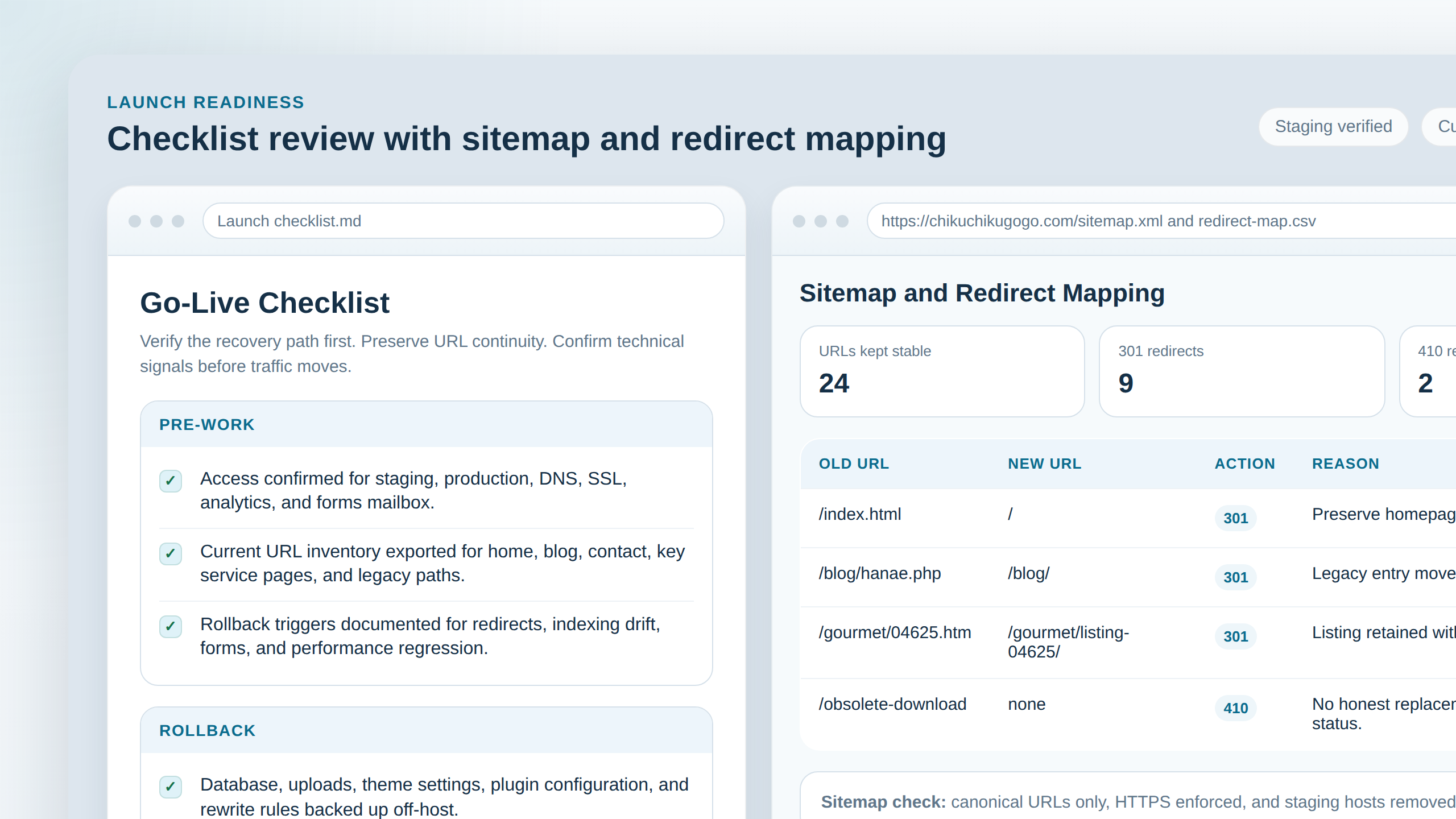
Where screenshots and editor fields fit (a fast workflow)
Here’s a workflow that doesn’t require SEO theater:
- Draft the title first using the formula (topic + qualifier).
- Write the description second from what the page actually covers.
- Check “snippet truth”: if someone clicks, what should they see within the first scroll?
- Update templates (if you’re using an SEO plugin) so future pages follow the same pattern.
If you’re restoring a site and keeping URLs stable, pairing this with a URL/title audit helps reduce mismatch across pages. For a related starting point, see Website Restoration-Friendly Link Strategy: Keep Old URLs Working (and Fix Broken Ones).
Examples for real small-site pages
Not sure what “qualifier” looks like? Borrow it from how your users describe the problem:
- Customer intent: “pricing,” “hours,” “how to contact,” “booking,” “services,” “checklist.”
- Content scope: “step-by-step,” “templates,” “common mistakes,” “before you update.”
- Outcome: “fix dead ends,” “make forms work,” “restore navigation.”
If your site has fewer than ~50 pages, you can usually win by making titles/descriptions meaningfully distinct-without writing for a million keywords.
A review process for updating important pages
Don’t rewrite everything at once. Pick the pages that drive decisions and reduce confusion, then improve them in rounds.
Step 1: Choose “high-impact” pages
- Home page
- Top navigation entry points (About, key services)
- Any page that used to rank (or brings impressions)
- Pages with confusing or inconsistent labeling
Step 2: Update titles and descriptions together
Titles set the headline promise; descriptions set the expectation. If you update one without the other, you can still create mismatch.
Step 3: Verify the “first screen” experience
After updating metadata, open each page and confirm the first visible content matches the promise you wrote. If it doesn’t, fix the page copy before you fix the snippet.
Step 4: Keep a simple before/after log
| URL | Old title | Old description | New title | New description | Notes |
|---|---|---|---|---|---|
| / | … | … | … | … | Clarified the main promise |
Small-site internal linking that helps snippets match reality
Clear snippets also benefit from clear internal paths. If your site’s main navigation is solid, visitors and search engines see consistent structure. For example, you can keep your blog discovery path obvious via /blog/ and your background via /about/.
Counterpoint: can you over-optimize?
You can. If titles and descriptions start sounding templated, stuffed with repeated phrases, or disconnected from the page content, you’re no longer improving clarity-you’re just creating noise.
The fix is simple: write for a real reader outcome, then make sure the page delivers that outcome in the first scroll.
Conclusion: make your snippet tell the truth
Better titles and meta descriptions aren’t about chasing rankings. They’re about reducing confusion and aligning expectations: topic + qualifier in the title, real benefit + scope in the description.
Key takeaways:
- Titles: topic + qualifier (optional brand), distinct across pages.
- Descriptions: concrete promise that matches what visitors actually find.
- Workflow: draft title → write description → verify first-screen truth → update templates.
- Review: prioritize home, entry pages, and previously visible pages in rounds.
Want to keep the rest of your site consistent while you update snippets? Start with your navigation, then move into page-by-page QA. If you’re working from a restoration backlog, build the improvements into a small weekly routine-so nothing important slips.
Resources: Google Search Central on title tags, Google Search Central on meta descriptions, and Search Console documentation.